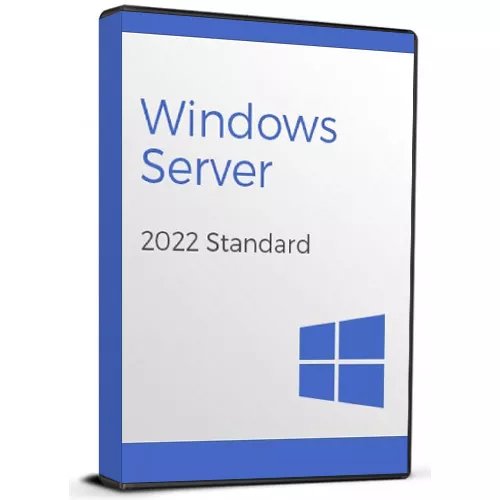
Windows Server Standard 2022
$34.93
$64.27
Windows Server Standard 2022: Secure, Scalable & Cloud-Ready Upgrade your infrastructure with Windows Server Standard 2022, designed to meet the evolving needs of organizations seeking robust security, improved virtualization, and flexible deployment options. Whether you’re managing on-premises servers or hybrid-cloud environments, this edition offers all the essential features to keep your workloads protected and efficient. Windows Server 2022 Standard Desktop Interface Key Features & Benefits Enhanced SecurityEnjoy secured-core server capabilities, improved encryption, and built-in threat protection measures to safeguard your data and infrastructure. Advanced Container SupportDeploy and manage Windows and Linux containers more efficiently, enabling faster application development and streamlined DevOps workflows. Hybrid Cloud IntegrationSeamlessly extend on-premises workloads to Azure or other cloud services for backup, disaster recovery, and additional compute power. Improved VirtualizationTake advantage of Hyper-V to run multiple virtual machines on the same hardware, optimizing resource utilization for small to mid-sized businesses. Efficient Management ToolsUtilize the latest Windows Admin Center for centralized control over server roles, settings, and security, reducing administrative overhead. Why It’s Better Than Its Predecessors Secured-Core EnhancementsBuilds upon Windows Server 2019’s security features with even deeper protection at the firmware and OS levels, reducing attack surfaces. Refined Container ExperienceOffers improved performance and compatibility for containers, providing developers with lighter images and quicker deployments. Expanded Scalability & PerformanceIncreased hardware limits, faster network protocols, and enhanced storage features for better handling of demanding workloads. Easier Cloud AdoptionSimplifies hybrid deployments with Azure Arc integration, bridging your on-premises servers and cloud environments. Streamlined AdministrationUpdated PowerShell modules, a modernized Windows Admin Center interface, and improved remote management tools save time and reduce complexity. Windows Server 2022 Standard Admin Center Interface Top 5 Frequently Asked Questions (FAQ) Is Windows Server Standard 2022 suitable for smaller organizations?Yes. Standard edition is cost-effective and designed for small to medium-sized deployments, offering robust features without the unlimited virtualization rights of Datacenter. How many virtual machines can I run on Windows Server Standard 2022?Standard edition typically allows running two virtual machines (plus the host OS). For unlimited VMs, consider Datacenter edition. Does this edition support Linux containers?Absolutely. Windows Server 2022 supports both Windows and Linux containers, enabling diverse workloads on the same server. Is an internet connection required for activation?You need an internet connection to activate your license and to receive updates. However, offline activation is possible for certain deployments; consult Microsoft’s documentation for details. Can I upgrade directly from Windows Server 2016 or 2019 to 2022?Yes. In most cases, direct upgrades are supported from Windows Server 2016 or 2019 to 2022. Always review Microsoft’s upgrade path documentation for prerequisites and best practices. System Requirements Below is a table detailing the minimum and recommended requirements for Windows Server Standard 2022: Component Minimum Requirements Recommended Requirements Processor (CPU) 1.4 GHz (64-bit) processor 2.0 GHz or faster multi-core RAM 2 GB (Server with Desktop Experience) 8 GB or more for virtualized or containerized workloads Hard Disk Space 32 GB 40 GB (depending on additional roles/features) Network Adapter Gigabit Ethernet adapter High-speed Ethernet for high-volume data transfers Display Resolution Super VGA (1024 × 768) Higher resolutions for improved admin interfaces Internet Connection Required for activation & updates Broadband recommended for hybrid cloud integration Installation & Activation Guide To make your installation and activation as smooth as possible, we’ve created a detailed guide covering every step. Follow this guide for a seamless process: Windows Server 2022 Installation and Activation Guide.
Trending Products